


Choosing a math app for your homeschool depends on your child’s age, learning style, and what you want the app to accomplish. Some focus on daily arithmetic practice, while others offer full-curriculum lessons, help identify and address skill gaps, or use games to make math more engaging. Over the time my kids have been homeschooling, we’ve used a variety of math apps, with varying success.
This article compares eight math apps for homeschoolers, including MathHero, Khan Academy, IXL, and Prodigy Math, looking at their features, grade levels, strengths, and costs. Whether you’re looking for a preschool math app or something to support high school studies, this comparison will help you explore the options and decide which might fit your family.
One note on prices first. Everything below was accurate when this was written in November 2026. App subscriptions change often and free tiers get reshuffled, so check the current price in the app store or on the developer’s site before you pay.
Why a homeschool needs more than one math app
Here is the thing nobody tells you when you start: no single math app covers a full mathematics curriculum and does it well.
Math apps split into two camps. One camp is practice: short, repeatable sets of math problems that drill facts and build speed. The other is instruction: interactive lessons and video lessons that teach new concepts. A classroom gets both from a teacher. At home you are the teacher, so you may pair a practice app, which builds skills through repetition, with teaching or a curriculum.
The split matters more when your kids span grade levels and learning styles. A kindergarten math app that builds number sense does nothing for a fourth grader drilling multiplication facts, and a middle school graphing tool sails over a six-year-old’s head.
So the real question is not “what is the single best math app.” It is “which math apps cover the jobs my homeschool needs this year, and which math skills, from basic math skills to times tables, each kid has to build.” The goal is not one perfect app. It is a small set of learning apps, each doing a job, so the kids keep building skills and keep having fun.
How I judged these math apps
Four things separate a learning app worth paying for from a pretty time-sink.
Does it teach, drill, or both? Some apps explain math concepts with guided practice and interactive lessons that build skills step by step. Some only serve practice problems or math games. Both help students, and a good learning app usually does one far better than the other, so know which you are buying and fill the other gap yourself.
Does it fit the grade level, honestly? An app that claims to cover kindergarten through high school usually does some grades far better than others. I looked at where each app genuinely helps students, not where the marketing says it reaches.
Can I see what my child actually did? A parent dashboard that shows real progress, not just stars, is what makes a learning app usable for homeschool record-keeping. It also lets a kid work at their own pace while you still know where your students are.
What does it cost for more than one kid? Per-child pricing adds up fast in a homeschool family. Apps that respect a multi-child budget earned extra credit. None of these apps is magic. The right ones just make skills practice something your kids will do, and maybe even call fun.
The best math apps, by the job they do
1. MathHero: best for turning daily arithmetic into a game kids ask for
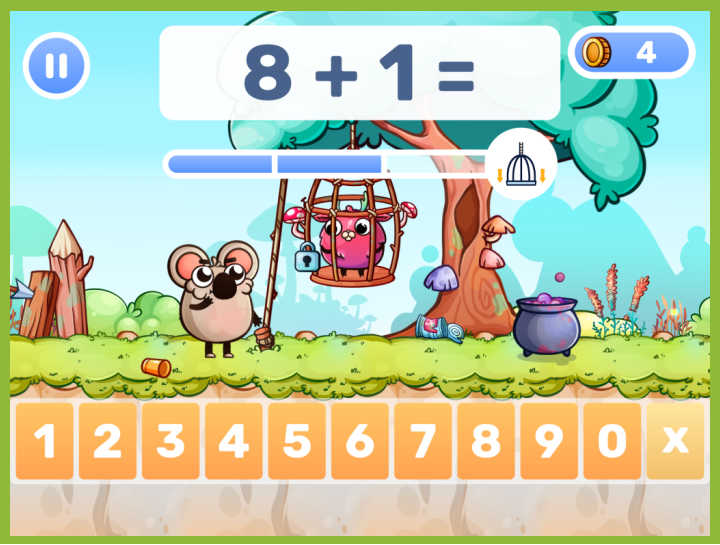
MathHero is designed to make daily math practice feel more like play than schoolwork. It is a story-driven adventure for children ages 5 to 10, roughly kindergarten through grade 4, where solving short sets of math facts moves the story forward. Players rescue characters, race, and battle, with each step requiring addition, subtraction, multiplication, or division. The math is built into the gameplay rather than presented as a quiz bolted onto a cartoon, making mental math practice part of the adventure.
One feature that stands out for homeschool families is the parent control panel. Parents can choose the math topic, set the number range (within 10, 20, 100, or 1000), adjust the difficulty, switch between typed and multiple-choice answers, and even set the speed. Each child can have an individual profile with personalized settings and progress tracking. This flexibility makes it possible for siblings at different grade levels and skill levels to use the same app while working on different math goals.
It’s important to understand what MathHero does and doesn’t cover. The app focuses on core elementary math: addition, subtraction, multiplication, and division up to 1000. It does not teach counting or number recognition from scratch, and it doesn’t cover fractions, geometry, or equations. Nor does it offer video lessons to introduce new concepts. Instead, MathHero focuses on the practice side of math, making it a potential supplement to a homeschool curriculum or other math instruction.
The free version is genuinely usable: the entire game is available at five levels per day, with no ads. A subscription (which includes a free trial) removes the daily limit. Prices vary by country, and the app store displays the exact cost before purchase.
MathHero holds a 4.6 rating on Google Play, where it also carries a “Teacher Approved” badge, and approximately 4.7 on the App Store, with more than a million downloads. You can find the full breakdown on the MathHero website.
2. Khan Academy: best free math app for full-curriculum coverage
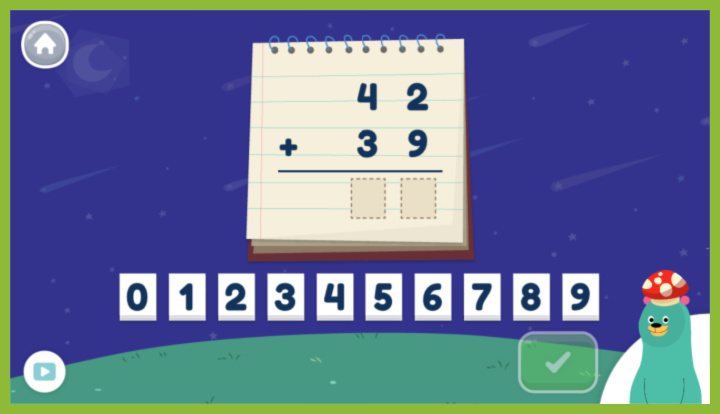
Khan Academy is the strongest free math app you can build a homeschool around. It is a nonprofit, genuinely free with no premium tier, and it covers math from early elementary through middle school, high school, and into early college. For a homeschooling parent on a budget, that mix is rare.
Each topic pairs short video lessons with interactive exercises and instant feedback, so it both teaches and drills in one place. The course structure maps onto grade levels, so it works as the spine of a homeschool curriculum or a free backup when a paid app falls short. Khan Academy Kids, a separate free app, covers the preschool and kindergarten end with number sense and early counting for younger learners.
The trade-off is engagement. Khan is clean and effective, but it will not pull a reluctant learner the way a game does. Lean on it for the teaching and the heavy lifting of learning, and let a game-based app carry the motivation.
3. Starfall: best for preschool and early elementary math

Starfall is a familiar name in early childhood education, offering interactive games, songs, and activities that introduce foundational math concepts. Designed for preschool through grade 5, it combines math with reading, phonics, music, and other learning activities. For younger homeschoolers, the colorful games make it an approachable way to explore numbers and begin building basic math skills.
The math activities cover a range of topics, including number recognition, addition, subtraction, multiplication, division, geometry, measurement, and fractions. Activities are organized around different learning objectives, allowing children to move from basic number skills toward more advanced elementary math. The app also includes reading and language arts activities, making it useful for families looking for more than just a math resource.
One advantage of Starfall is its accessible format. Activities use games, songs, and interactive exercises rather than relying entirely on worksheets or traditional lessons. There are no advertisements, even in the free version, and the platform is designed to be accessible to children with different learning needs. My girls loved it for many years, until they outgrew it, while my son has been less enthusiastic about it, although he likes some of the games.
The free version includes some activities, while a membership unlocks hundreds more across the platform. At the time of writing, a home membership through the Starfall website costs $35 per year, while in-app subscriptions are listed separately at $5.99 USD per month. Check the website or app store for current pricing and subscription details.
Starfall is best suited to younger learners who are developing foundational math skills. It is not a comprehensive math curriculum with structured instruction, placement testing, or detailed parent progress reports. Instead, think of it as a collection of interactive learning activities that can supplement a homeschool math program.
4. IXL: best for finding and closing skill gaps
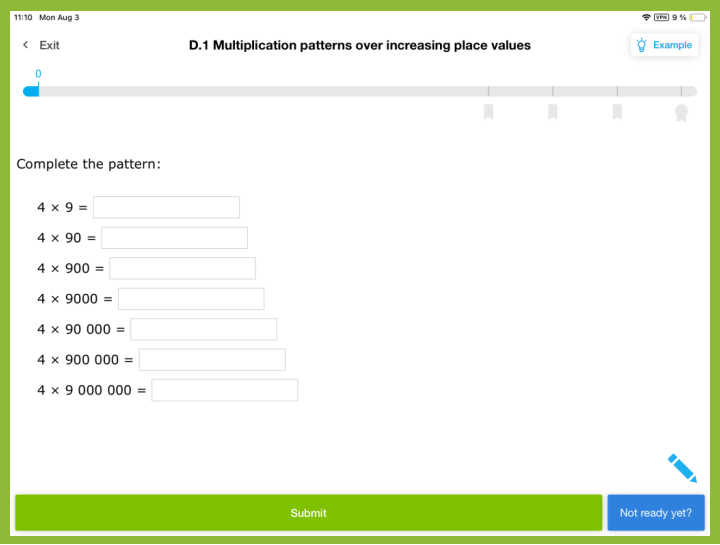
When a child is quietly behind and you cannot tell exactly where, IXL is the app to reach for. Its diagnostic builds a live picture of where your child sits in every strand of math and recommends which specific skill to tackle next. That is how a homeschooling parent finds the gap slowing a kid’s math learning, the one under the long division problems that will not stick.
IXL covers math from PreK through calculus, plus language arts, science, and social studies, so it stretches across the whole homeschool, elementary students through high school students alike. The skill library is huge and standards-aligned, which also helps with documentation.
Two honest cautions. IXL is practice and assessment, not instruction: it shows where your child went wrong but does not teach the concept. And pricing is per child: at the time of writing a single-subject family membership runs about $9.95 a month or $79 a year, core subjects about $19.95 a month, with each additional kid roughly $4 more. For multiple children, run the numbers first.
5. Prodigy Math: best math fun for a reluctant learner
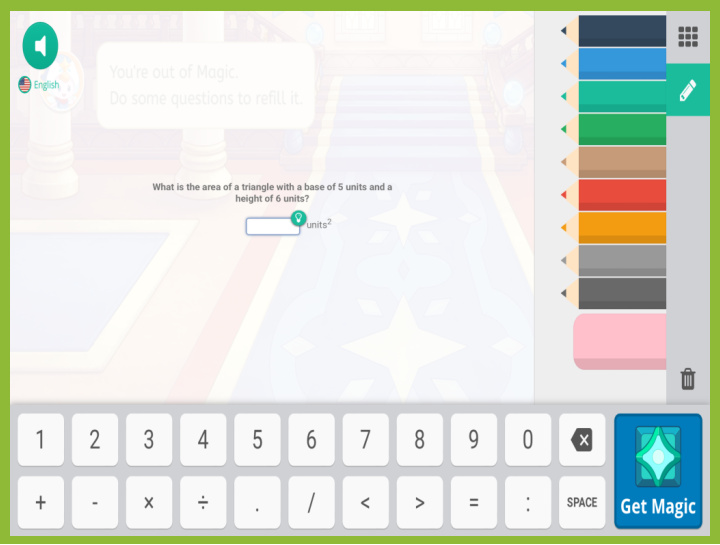
Prodigy Math wins over the kid who groans at the word “math” (like all mine have at various times) It wraps math drills inside a full role-playing game world, the kind with monster battles, quests, and gear to collect. The math problems are the spells that let your child beat their opponent and move on. For a reluctant learner, that disguise is the point, and the math fun is doing real work underneath.
My son watched his sisters play this game and wanted to join the fun. I made him wait until I thought he could handle grade 1 math. Even then, the math problems were often above his understanding, because there’s no teaching in the game (just a few hints). He was very motivated to win, however, so often I could provide on-the-go instruction to get him through each problem.
Prodigy is built for grades 1 through 8, covering addition, subtraction, multiplication, and division, and adjusts problems to each child’s skill level as they play. The core educational content (tens of thousands of math questions) is free, a real plus for homeschool families, and a free parent account lets you set goals and read progress reports. An optional membership (around $9.95 a month at the time of writing, cheaper billed annually) unlocks extra in-game rewards, not extra math (so I’ve never upgraded, although my kids have asked for the rewards).
The catch: the game is so rich that some kids pour more energy into the avatar than the arithmetic, and the free version nudges toward the paid tier. Set a clear goal, check the reports, and it earns its keep.
6. DoodleMath: best for short, personalized daily sessions
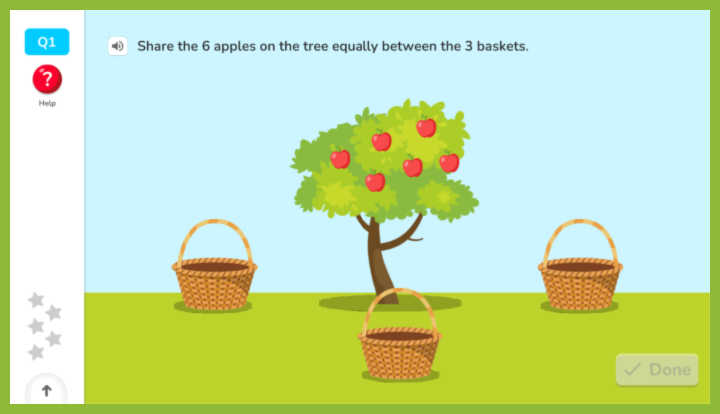
DoodleMath is built on a simple, research-friendly idea: a few minutes of the right drilling every day beats one long session a week. It starts each child with a quick placement, then serves a personalized set of practice problems that targets weak spots and fills gaps. It covers kindergarten through grade 5.
The daily sessions are short enough that a younger learner does not burn out, and the parent hub shows what they worked on. Stars and little builds reward effort, which supports independent learning and keeps kids coming back without turning math into a full video game.
DoodleMath is free to download with limited access, and the full experience is a subscription that opens with a 7-day free trial (around $11 a month or $95 a year for one child at the time of writing, with family options). Check the current price, since the plans shift.
7. Synthesis Tutor: best for reasoning and deeper math concepts
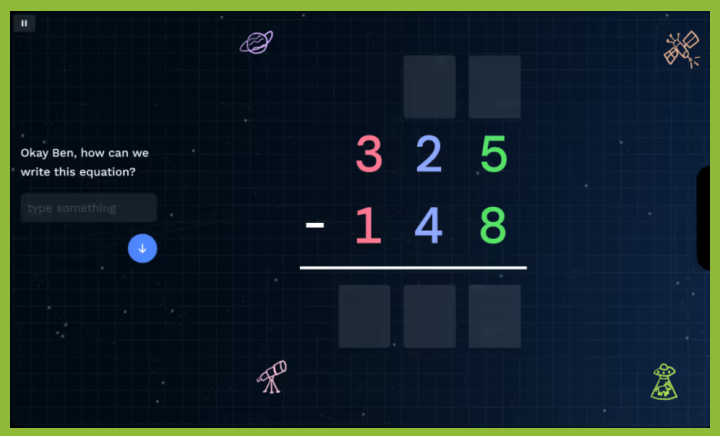
Most apps on this list drill facts. Synthesis Tutor is after something else: it wants kids to understand why the math works. Built for kids ages 5 to 11, it uses interactive, puzzle-like activities and an adaptive tutor to build real problem solving skills and critical thinking skills, not just correct answers. It was developed with James Tanton, a Princeton-trained mathematician and award-winning teacher, and that focus on math concepts over speed shows. It is the app that most helps students understand the idea, not only the procedure.
For a homeschooling parent who values mathematical thinking over raw fluency, it is a strong complement to a facts-focused app. It is a supplement, not a standalone curriculum, and it is iPad-based. Pricing is a subscription (a family plan around $29 a month or $119 a year at the time of writing), usually with a free trial and frequent discounts, so check before you buy.
8. JOJO Math: best for handwriting-based math practice

JOJO Math takes a hands-on approach to digital math practice. Rather than simply tapping multiple-choice answers, children write numbers and work through problems using handwriting-based activities. Designed for ages 4 to 10, the app combines personalized math practice with interactive rewards to help children build focus and confidence.
When children first start, they complete a level assessment that helps determine their starting point. The app then adapts activities to their abilities, gradually introducing new challenges and reviewing skills as needed. Math topics include number writing, addition, subtraction with regrouping, multiplication tables, word problems, and mental math. Short sessions of around 10 minutes make it easier to build a consistent daily practice routine.
JOJO Math is designed for children ages 4–10, roughly preschool through grade 5, although it uses individual skill levels rather than requiring children to follow a particular grade. It is available on iOS and Android, with a tablet and stylus recommended for the best handwriting experience.
The app is free to download, and families can try it without paying. Subscription plans unlock the full learning experience, with pricing and available trials varying by region and purchase platform. Check the app store for current options before subscribing.
A quick comparison of the best math apps
| App | Best for | Grade level | What it is | Free option? |
| MathHero | Daily arithmetic as a game | K to 4 | Drill and play | Yes, 5 levels a day |
| Khan Academy | Free full-curriculum coverage | K to early college | Teach and drill | Yes, fully free |
| Starfall | Early math skills and foundational learning | Pre-K to Grade 5 | Interactive games | Yes; subscribe for more. No ads. |
| IXL | Finding and closing skill gaps | PreK to 12 | Drill and diagnostics | Limited |
| Prodigy Math | Reluctant learners | Grades 1 to 8 | Game-world drill | Yes, core content |
| DoodleMath | Short daily sessions | K to 5 | Daily drill | Limited, 7-day trial |
| Synthesis Tutor | Reasoning and concepts | Ages 5 to 11 | Concept building | Trial |
| JOJO Math | Handwriting-based math practice | Ages 4 to 10 | Adaptive math activities | Yes; subscribe for more. |
Read it as a map of jobs, not a ranking. These are the best math apps for a reason: most homeschools run two or three of them together, one to teach, one to drill, one for fun. For example, we’ve used Prodigy and Starfall to supplement our core math curriculum for years.
Free math apps for homeschool families
On a tight budget, you can build a real math routine on free math apps alone.
Khan is the anchor: fully free, covering nearly every grade level, and teaching as well as drills, which no other free option here does.
Prodigy Math gives you genuinely free gamified math practice, since every math question is playable without paying. Starfall, IXL, and DoodleMath each hand you a free slice, a few activities a day or a few free activities, fine for sampling but not a full program. MathHero’s free mode is unusually generous for a game: the whole adventure is open at five levels a day, nothing locked away.
For many homeschool families, two free math apps plus your own teaching cover most of elementary learning, no subscription required. The honest caveat about free math apps: they are strongest for practice and weakest for teaching a brand-new concept from zero. When these free math apps leave a gap, that is the moment to add a paid app or teach the lesson yourself.
Choosing a math app by grade level
The right pick depends as much on your child’s age as on the app. Younger students need you beside them; older students can run a learning app on their own. The younger the student, the more the app has to feel like fun; the older, the more it has to respect their time.
Preschool and kindergarten math apps
For the youngest learners, skip the drills and chase number sense: counting, number recognition, shapes, patterns, and the very first addition. Khan Academy Kids (free) and Starfall both do this well with visual, interactive activities. JOJO Math is another option for children ages 4 and up, combining handwriting-based number practice and early math activities with personalized learning paths.
A kindergarten math app should feel like a game and lean on pictures over symbols. Keep sessions near ten minutes, and sit with your child instead of handing off the tablet. Ten fun minutes of counting beats twenty of worksheets, and young kids pick up early learning best through play.
Elementary grade levels
This is the sweet spot for math apps, and the years in which fact fluency matters most for elementary school students. Elementary students need addition, subtraction, multiplication, and division locked in until the facts are automatic.
For daily mental math drill wrapped in motivation, MathHero and Prodigy Math are the engines, with DoodleMath for short personalized sessions and IXL to pinpoint a specific skill gap. Pair one game-based app for momentum with one that adapts to different skill levels and gives you clear data, and most kids build real math skills without the daily battle. The right app can even make that drill feel like fun the kids opt into.
Middle school and high school math apps
Once your child moves past arithmetic, the toolkit changes. Middle school brings pre-algebra and the first abstract ideas; high school brings algebra, geometry, and beyond.
Khan is the workhorse here: its middle school and high school math courses are thorough, free, and sequential enough to anchor a curriculum through the middle school years. IXL carries skill practice from elementary through middle school and high school.
Choosing math apps for multiple children
Homeschooling more than one kid changes the math entirely, and the learning budget with it. Using curriculum to teach math lets me buy one set of textbooks that all the kids use; apps don’t quite have that freedom. Teaching concepts in person to one child allows a younger child to “eavesdrop” (even if they don’t know it) and pick up on some concepts. Apps often isolate math teaching, although, as I said, my kids like to watch each other play games and so even apps can draw in a younger student.
Per-child pricing is worth watching. IXL, DoodleMath, and Synthesis Tutor charge by the student, although most offer discounts for additional children or family plans. Free options like Khan Academy and Prodigy’s core math activities can be used by as many children as you have at no extra cost, making them appealing choices for larger homeschools. Starfall is also flexible: its free activities can be accessed on multiple devices, or several children can take turns playing on a shared device. Since there are no levels to complete or saved games to maintain, children can simply choose an activity and play. JOJO Math offers plans for multiple learners, including separate quarterly subscriptions for two or three children. This allows siblings to follow their own personalized learning paths, although the family cost is higher than a single-child subscription. Prices vary by platform and region, so check the app store for current rates.
Look for separate student profiles, too, so each child can maintain their own learning path. MathHero, for example, gives each child an individual profile, settings, and progress tracking. A kindergartner and a fourth grader can share one app without sharing a difficulty level. This makes it easier to use the same tool across different grade levels while keeping each student’s progress organized.
Building math apps into your homeschool curriculum
An app is a tool, not a teacher. Where it sits in your day depends on what else you use.
If you teach math directly or follow a full homeschool curriculum, apps slot in as review: the drill that cements what you taught, on days you cannot sit one-on-one. If you lean on an app as a primary resource, choose one that actually teaches, like Khan, and pair it with written work, because screens alone skip the handwriting that math fluency needs. Scheduled app sessions, same time each day, beat random bursts. And some key concepts, the first explanation of regrouping or the meaning of a fraction, still land better from a parent at the kitchen table than from any screen.
Apps do not quit on kids, but kids quit apps. For a clear-eyed look at when a math app genuinely helps a homeschool and when children abandon it, this guide on whether math apps work for homeschool is worth a read before you build your whole routine around one.
Tracking progress beyond the app
An app’s progress report is a helpful signal, not an official record.
If your state or province has homeschool documentation requirements, check what they actually ask for, because an app dashboard rarely counts as a formal record. Keep your own independent work samples: a folder of worked pages, a log of topics covered, the occasional written test. App reports tell you how the daily learning is going; your records tell the story that counts when someone official asks about your child’s education.
So which math app fits your homeschool?
Start with the job, not the ranking. Want daily arithmetic a young child will ask for? Start with MathHero. Want free, whole-curriculum coverage from one place? Build on Khan. Need to find and fix a specific skill gap? Use IXL. Is math a fight? Let Prodigy Math do the convincing. Most homeschools, mine included, run two or three of these at once: one to teach, one to drill, one to make a kid grin at math.
Pick the two that match this year. Add the third when you hit the wall the first two cannot climb. The best math apps are not the ones with the most features; they are the ones your kids will open, the ones that make skills practice feel a little like fun.
Common questions
What is the best free math app for homeschooling? Khan Academy. It is a nonprofit, genuinely free with no paid tier, and it both teaches and drills from early elementary through high school. Prodigy Math is the best free game-based option, since its core math content is playable without paying.
Can a math app replace a full homeschool math curriculum? For most families, no. Khan comes closest because it teaches as well as it drills, but most math apps are practice tools meant to supplement teaching or a curriculum. Pair an app with written work and direct instruction for the concepts that need it.
What is the best math app for a child who hates math? A game-based app that hides the practice inside play. MathHero and Prodigy Math both turn math problems into game mechanics, which is often what flips a reluctant learner from “I can’t” to “one more level.”
What math apps have you tried with your kids? Which ones do you love, and which ones do your kids love?
No Responses Yet